目前, Stack 主题并不支持博客文章的社交分享, 因此需要自行集成.
这里选择适用性极广的 Addthis. 不过它有一个缺点, 就是可能被浏览器的某些扩展 (比如 uBlock Origin) 屏蔽, 所以请自行决定是否使用它.
你必须要有一个 Addthis 账号, 如果没有, 点击此处免费注册.
修改 profile 名称
登录到 dashboard, 点击右上角的 “Profile Settings” -> “General” -> “Rename Profile”
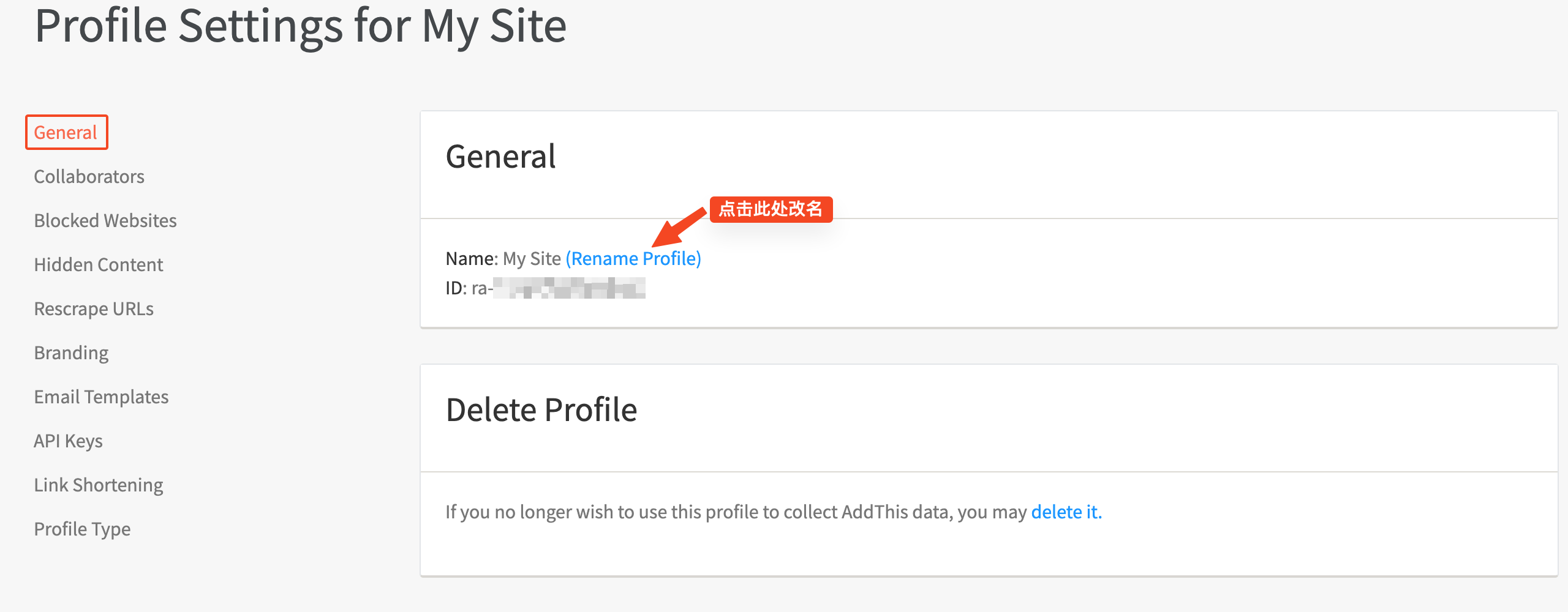
输入一个好记的名字, 比如: blog-zhaijia-fun
该名称不能包含 “.”, 因此这里将域名 blog.zhaijia.fun 中的 “.” 替换为 “-” 之后, 再设置为 profile 名称.
设置分享按钮
点击左上角的 “Tools” -> “Add a New Tool” -> “Share Buttons”


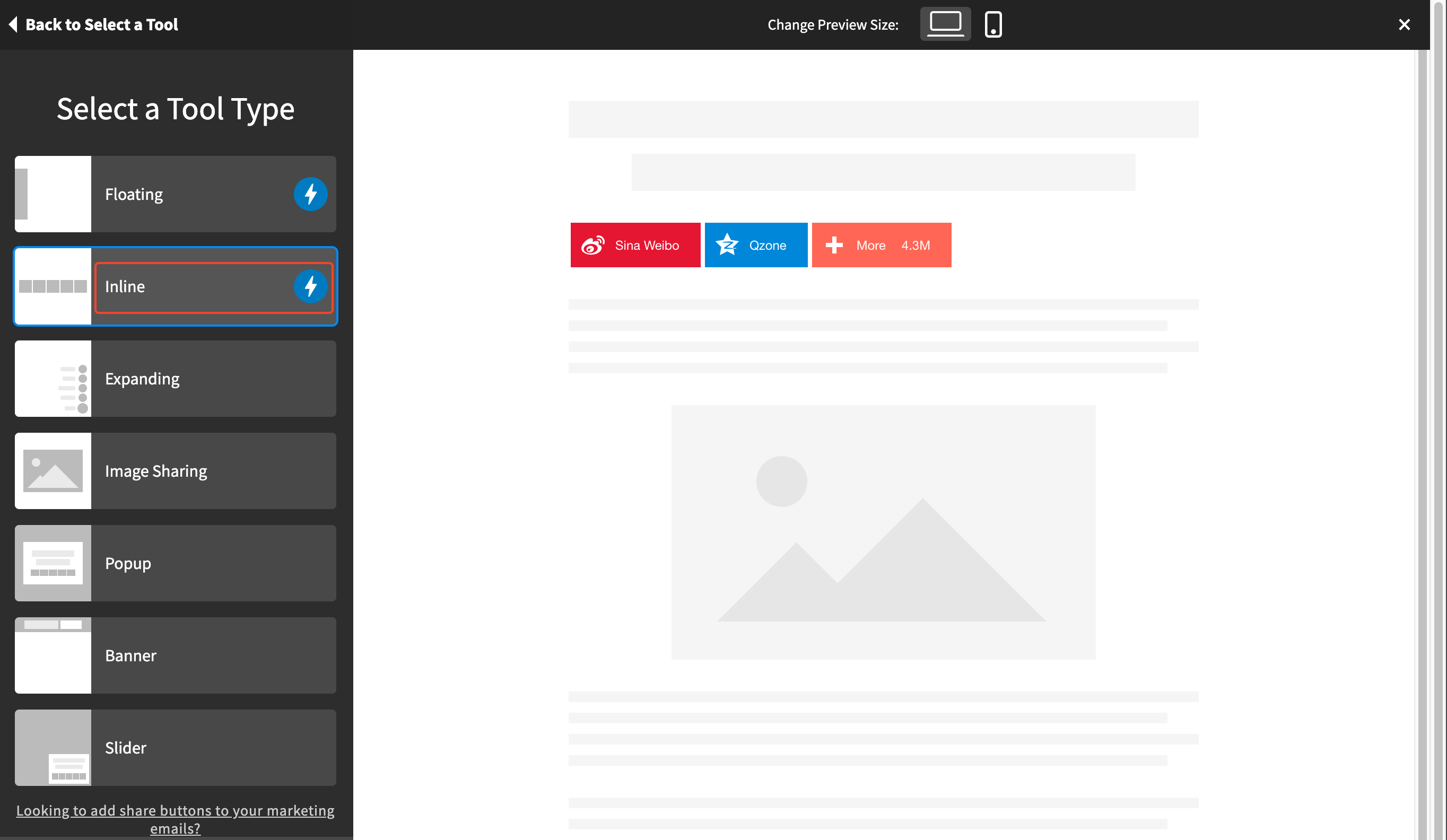
按钮类型这里选择 “Inline”, 然后点击 “Continue”.
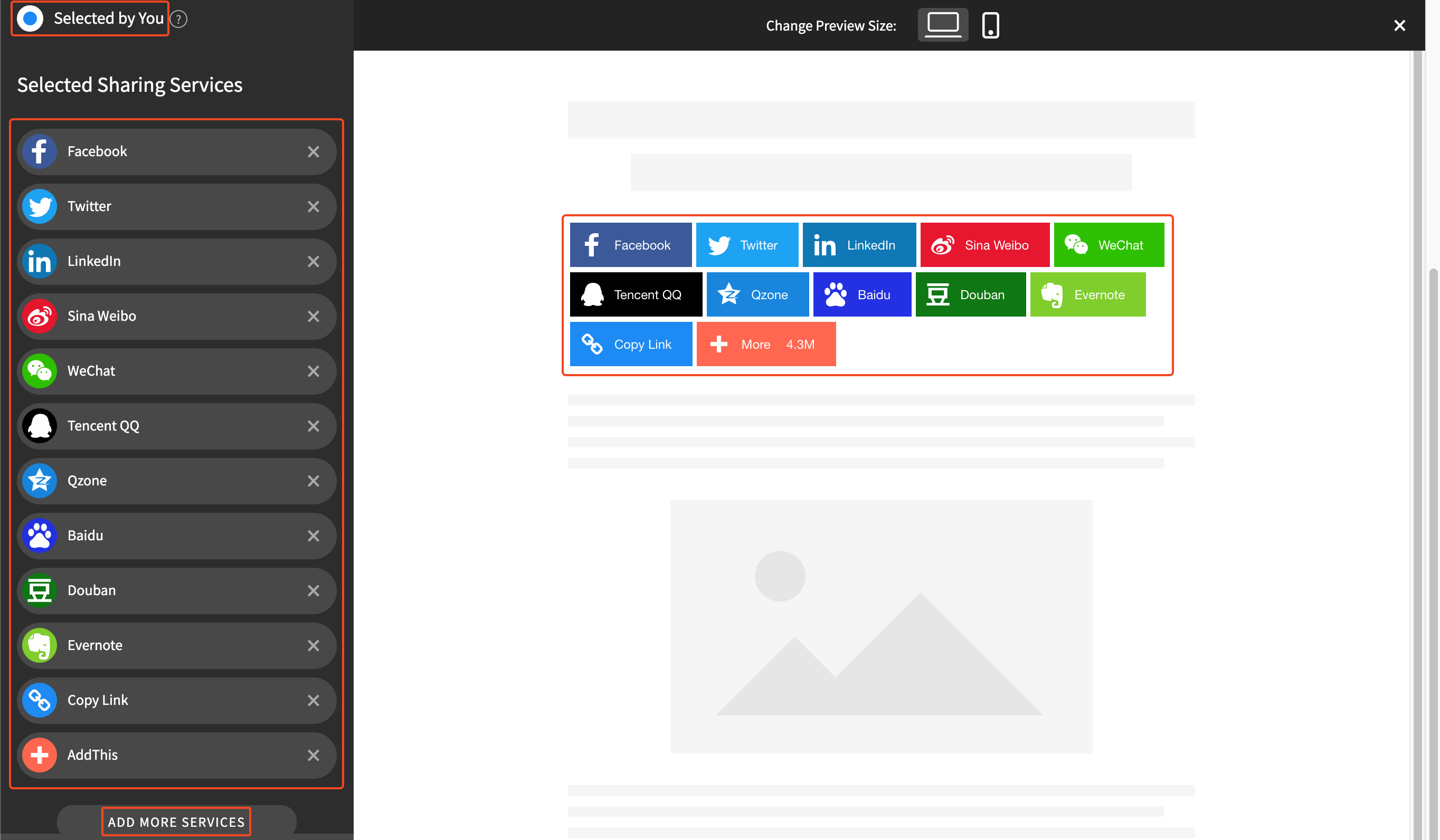
Sharing Services
点击 “Selected by You” 自定义所需的分享服务.
点击 “ADD MORE SERVICES” 添加更多分享服务.
右侧同时显示实时预览效果.
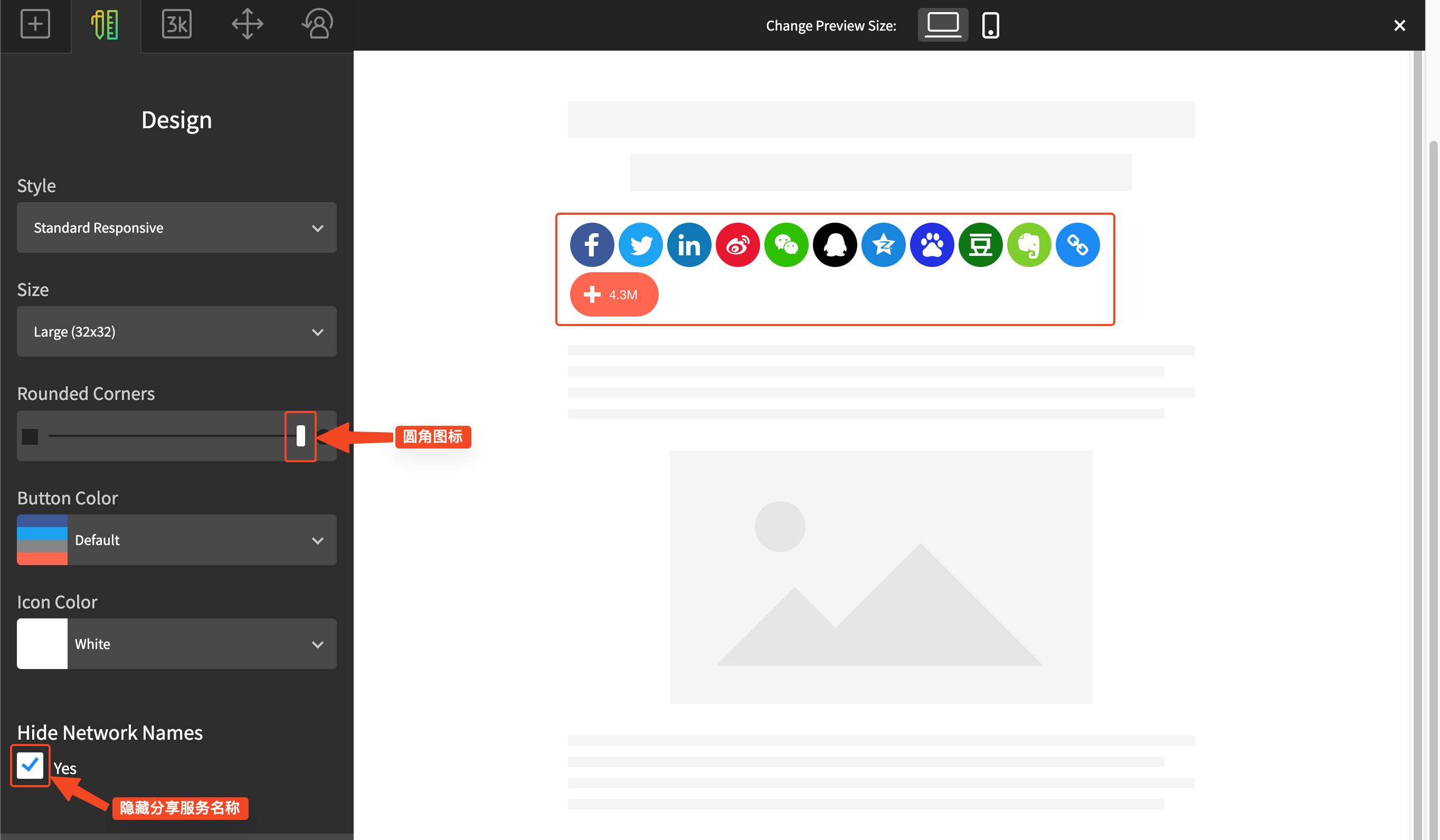
Design
设置为圆角图标, 隐藏分享服务名称.
Behavior
在 “Show on Only These Pages” 下方的输入框中输入:
1
| https://blog.zhaijia.fun/p/*
|
意为只在博客文章中显示分享按钮.
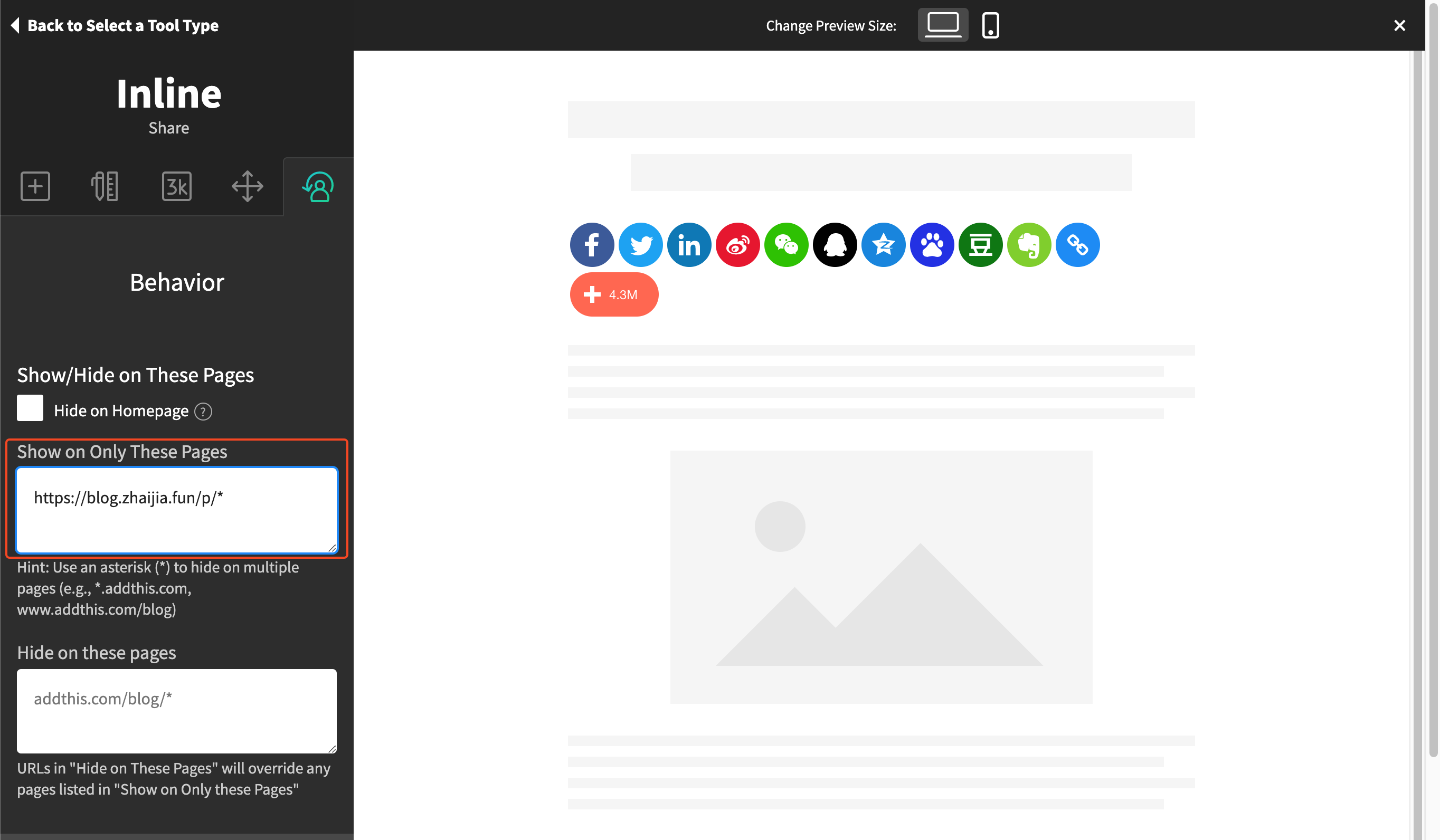
最后点击 “Activate Tool” 保存设置.

手动集成 Addthis 社交分享
获取分享代码
点击 “GET THE CODE”, 拷贝页面显示的两段代码, 例如:
1
2
3
4
5
| <!-- Go to www.addthis.com/dashboard to customize your tools -->
<script type="text/javascript" src="//s7.addthis.com/js/300/addthis_widget.js#pubid=ra-xxxxxxxxxxxxxxxx"></script>
<!-- Go to www.addthis.com/dashboard to customize your tools -->
<div class="addthis_inline_share_toolbox"></div>
|
添加移除分享追踪的代码:
1
2
3
4
5
6
| <!-- Removing Hashtags, Anchors, and Tracking Codes -->
<script type="text/javascript">
var addthis_config = addthis_config||{};
addthis_config.data_track_addressbar = false;
addthis_config.data_track_clickback = false;
</script>
|
替换 pubid 的值, 也就是 “ra-xxxxxxxxxxxxxxxx” 为 “{{ .Site.Params.share.addthisid }}”
得到完整的分享代码:
1
2
3
4
5
6
7
8
9
10
11
12
| <!-- Go to www.addthis.com/dashboard to customize your tools -->
<script type="text/javascript" src="//s7.addthis.com/js/300/addthis_widget.js#pubid={{ .Site.Params.share.addthisid }}"></script>
<!-- Removing Hashtags, Anchors, and Tracking Codes -->
<script type="text/javascript">
var addthis_config = addthis_config||{};
    addthis_config.data_track_addressbar = false;
    addthis_config.data_track_clickback = false;
</script>
<!-- Go to www.addthis.com/dashboard to customize your tools -->
<div class="addthis_inline_share_toolbox"></div>
|
请记下 pubid 的原值, 也就是 “ra-xxxxxxxxxxxxxxxx”, 后面会用到.
创建布局目录
1
2
3
4
5
| #### 进入对应的博客网站项目目录
cd blog.zhaijia.fun
#### 创建布局目录
mkdir -p layouts/_default layouts/partials/share
|
创建 layouts/_default/single.html
文件内容为:
 1
 2
 3
 4
 5
 6
 7
 8
 9
10
11
12
13
14
15
16
17
18
19
20
21
22
23
24
25
26
27
28
29
30
31
32
33
34
35
36
37
38
39
40
41
42
43
44
45
46
47
48
49
50
| {{ define "body-class" }}
article-page
{{/*
Enable the right sidebar if
- Widget different from 'TOC' is enabled
- TOC is enabled and not empty
*/}}
{{- $HasWidgetNotTOC := false -}}
{{- $TOCWidgetEnabled := false -}}
{{- range .Site.Params.widgets.page -}}
{{- if ne .type "toc" -}}
{{ $HasWidgetNotTOC = true -}}
{{- else -}}
{{ $TOCWidgetEnabled = true -}}
{{- end -}}
{{- end -}}
{{- $TOCManuallyDisabled := eq .Params.toc false -}}
{{- $TOCEnabled := and (not $TOCManuallyDisabled) $TOCWidgetEnabled -}}
{{- $hasTOC := ge (len .TableOfContents) 100 -}}
{{- .Scratch.Set "TOCEnabled" (and $TOCEnabled $hasTOC) -}}
{{- .Scratch.Set "hasWidget" (or $HasWidgetNotTOC (and $TOCEnabled $hasTOC)) -}}
{{ end }}
{{ define "main" }}
{{ partial "article/article.html" . }}
{{ if .Params.links }}
{{ partial "article/components/links" . }}
{{ end }}
{{ if and (.Site.Params.share.enabled) (isset .Site.Params.share "addthisid") }}
{{ partial "share/addthis.html" . }}
{{ end }}
{{ partial "article/components/related-contents" . }}
{{ if not (eq .Params.comments false) }}
{{ partial "comments/include" . }}
{{ end }}
{{ partialCached "footer/footer" . }}
{{ partialCached "article/components/photoswipe" . }}
{{ end }}
{{ define "right-sidebar" }}
{{ if .Scratch.Get "hasWidget" }}{{ partial "sidebar/right.html" (dict "Context" . "Scope" "page") }}{{ end}}
{{ end }}
|
该文件是基于 themes/hugo-theme-stack/layouts/_default/single.html 修改的, 添加了:
1
2
3
| {{ if and (.Site.Params.share.enabled) (isset .Site.Params.share "addthisid") }}
{{ partial "share/addthis.html" . }}
{{ end }}
|
以集成 Addthis 社交分享.
创建 layouts/partials/share/addthis.html
文件内容即为前面的完整的分享代码.
在网站配置 config.yaml 中 设置 Addthis 社交分享
在 “params” 尾部新增:
1
2
3
4
5
| params:
......
share:
enabled: true
addthisId: ra-xxxxxxxxxxxxxxxx
|
请替换 addthisId 的值, 也就是 “ra-xxxxxxxxxxxxxxxx” 为 pubid 的原值.
页面效果: